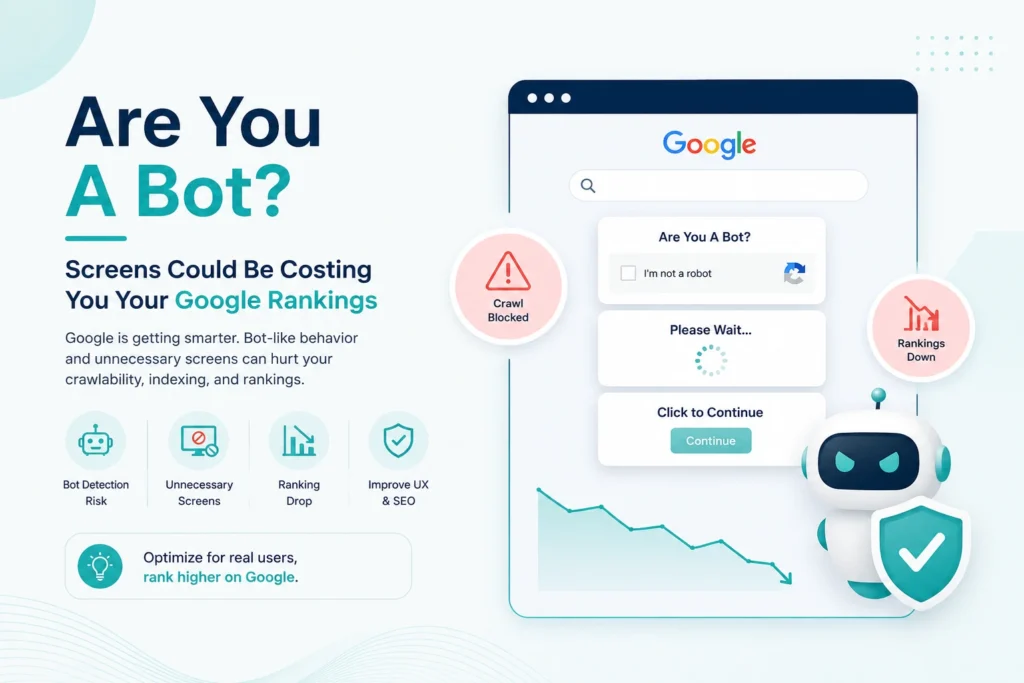
Your website looks fine. Your content is live. Nothing seems broken. But somewhere in Search Console, Google might be looking at a completely different page than the one your visitors see, a bot-check screen instead of your actual content.
Google's John Mueller confirmed this on a recent episode of Search Off the Record, and it's a bigger deal than it sounds. If your site uses any kind of "are you a bot" verification, the kind triggered by your CDN, hosting provider, or security layer, it could be quietly pushing your real pages out of the index.
Here's what's happening, why it's so hard to catch, and how to fix it before it costs you traffic.
What's Actually Going Wrong
Most bot-protection tools work the same way. When a visitor looks suspicious, the site shows a verification screen instead of the real page. Normal users almost never see it. Suspicious traffic does.
The problem starts when Googlebot gets flagged as suspicious too.
Instead of crawling your actual content, Google sometimes gets served that verification page and treats it like it's the real thing. That page gets indexed. Your actual content doesn't.
Why This Costs You The Canonical Spot
Here's the part that makes this especially damaging.
Bot-check screens usually look nearly identical across every website that uses the same security tool. So when Google crawls hundreds of sites and keeps running into the same generic "verify you're human" page, it starts treating them as duplicates of each other.
When Google spots duplicate-looking pages, it picks one version to treat as the "main" one and files the rest as copies.
- Your page can get filed as a duplicate of a completely unrelated website
- Google may choose someone else's bot-check page as the canonical version
- Your real content effectively disappears from search, even though nothing on your site is technically broken
This ties directly into a bigger shift happening right now. As Google and AI search engines get more aggressive about consolidating duplicate-looking content, technical crawl issues like this one are becoming a bigger driver of the traffic loss businesses are seeing from AI Overviews and the wider Great Decoupling.
Why You Won't Notice It Yourself
This is the part that trips people up.
You open your site. It loads perfectly. You check on mobile, on another browser, from a different network. Still fine.
That's because the bot-check screen is usually triggered only for traffic flagged as suspicious, and your own visits almost never get flagged. Googlebot, on the other hand, can get flagged depending on your security settings, crawl frequency, or hosting configuration.
How To Actually Check For This
Skip the manual browsing. Go straight to the source.
- Check Google Search Console's Page Indexing report. Look for pages flagged as "Duplicate, Google chose different canonical than user" or similar duplicate-content labels.
- Run the URL Inspection tool on key pages. This shows you exactly which URL Google has picked as the canonical version. If it's not your own domain, you've found your problem.
- Look at what Googlebot is actually receiving. Fetch and render the page as Googlebot inside Search Console, or check server logs for how bot-flagged requests are being handled.
This is the same family of issue Mueller has flagged before with the "Page Indexed Without Content" error, where security settings silently blocked Googlebot while regular visitors loaded the page just fine. Different trigger, same root cause: Google isn't seeing what you think it's seeing.
How To Fix It
- Talk to whoever manages your CDN, host, or security layer. This usually isn't a CMS or content issue, it's infrastructure.
- Ask them to verify Googlebot properly and allow it through without triggering the bot-check.
- Request re-indexing through Search Console's Validate Fix once the issue is resolved.
- Recheck the URL Inspection tool over the following weeks to confirm Google has switched back to your real page as canonical.
If your team also serves AI crawlers like GPTBot, this is worth auditing at the same time. The same bot-verification logic that blocks Googlebot can quietly block AI crawlers too, which directly affects your visibility in AI-generated answers. If you haven't audited your crawl access for both traditional and AI bots, this is a good moment to do a full technical SEO and crawl access audit.
FAQs
Can a bot-check screen really get my whole site deindexed?
Will my SEO tools catch this automatically?
Is this related to Cloudflare or other CDN bot protection specifically?
How do I know if this is currently happening on my site?
Does fixing this get my rankings back immediately?
Could this also affect how AI search engines see my content?
Final Thoughts
This is a hard issue to catch precisely because everything looks fine from the outside. Your site loads. Your content is live. Nothing is technically down.
But Google might be looking at a different page entirely, and choosing someone else's page over yours as a result.
If you haven't checked your Page Indexing report and URL Inspection results recently, that's the fastest way to know if this is happening to you.
Not sure if this is affecting your site? We'll check your indexing status, canonical signals, and crawl access for both Google and AI bots.
Book A Technical SEO Audit